
The Weightlifters' Backroom
A productivity app for Olympic Weightlifters
The Weightlifters' Backroom is a serious training tool for Olympic weightlifters and their coaches. Log every set the way lifters actually train — snatch and clean & jerk complexes, make/miss on every rep — and let the app build periodized programs that deload, taper, and peak you toward your meet. Link with your coach to share your training, follow the program they write for you, and get feedback as you lift. Built offline-first; your training lives on your device and syncs with your coach when you want it to.
Key features
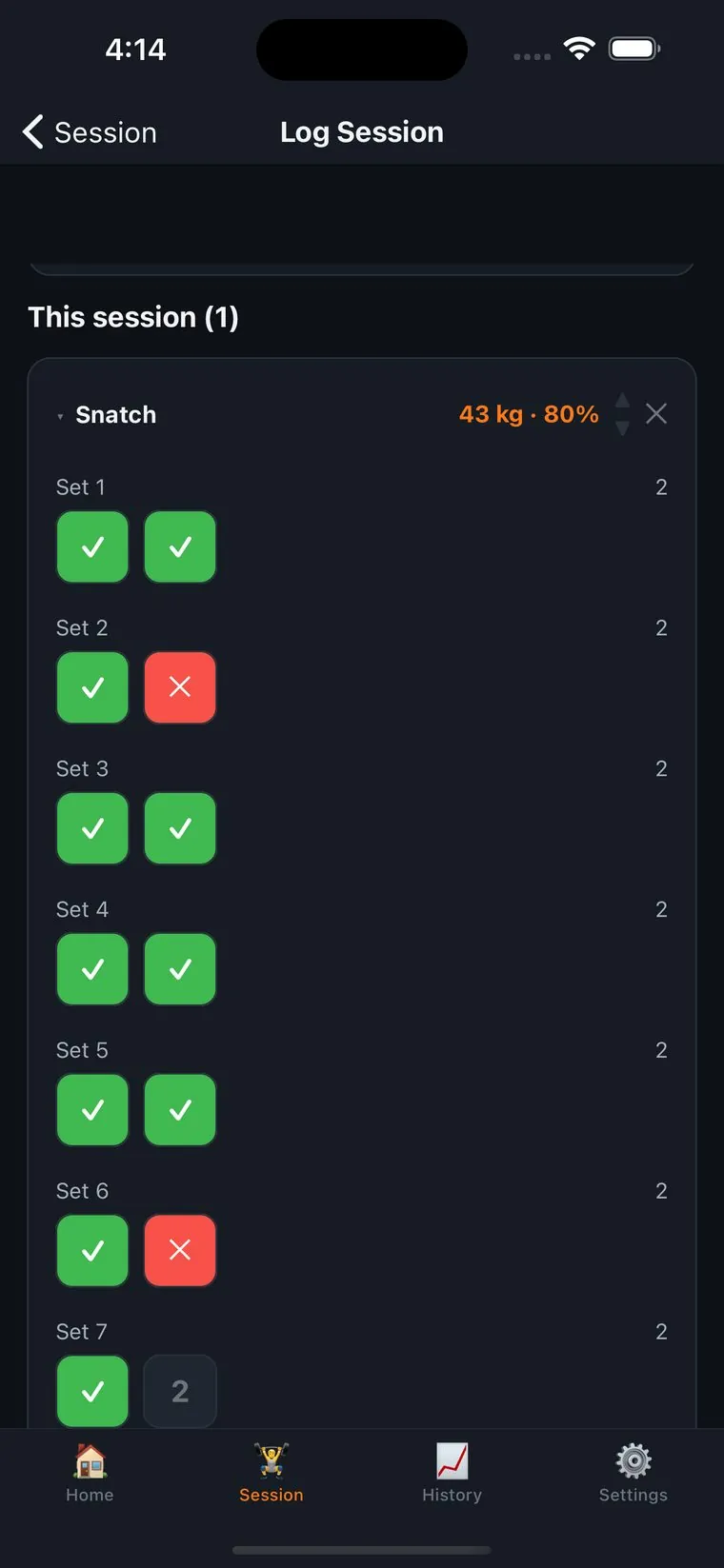
- Structured Olympic logging — complexes, make/miss per rep, RPE & %1RM
- Auto-generated periodized programs — deload, taper and peak to your meet date
- Coach ↔ athlete — assign programs, exchange notes, follow the plan day by day
- Live training — your coach can watch your session as you log it
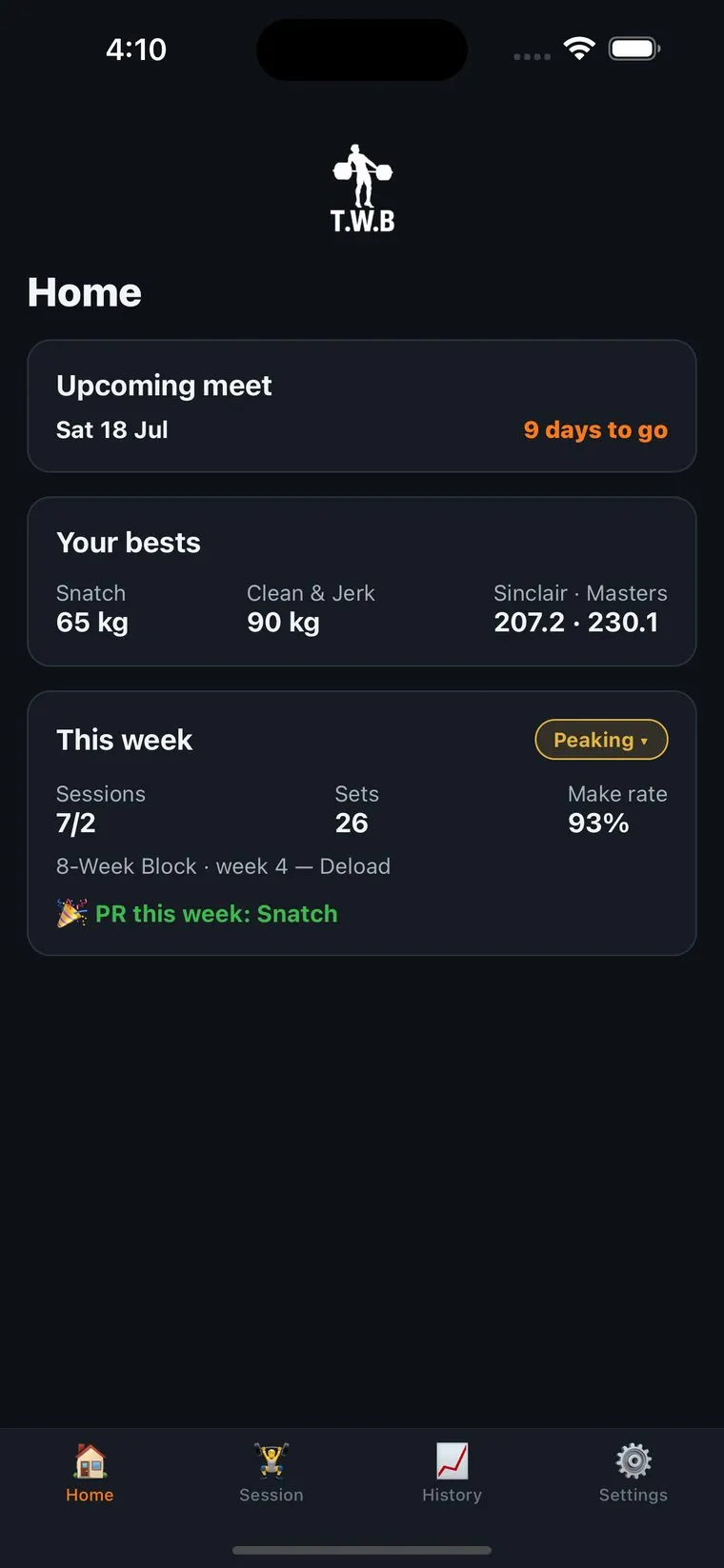
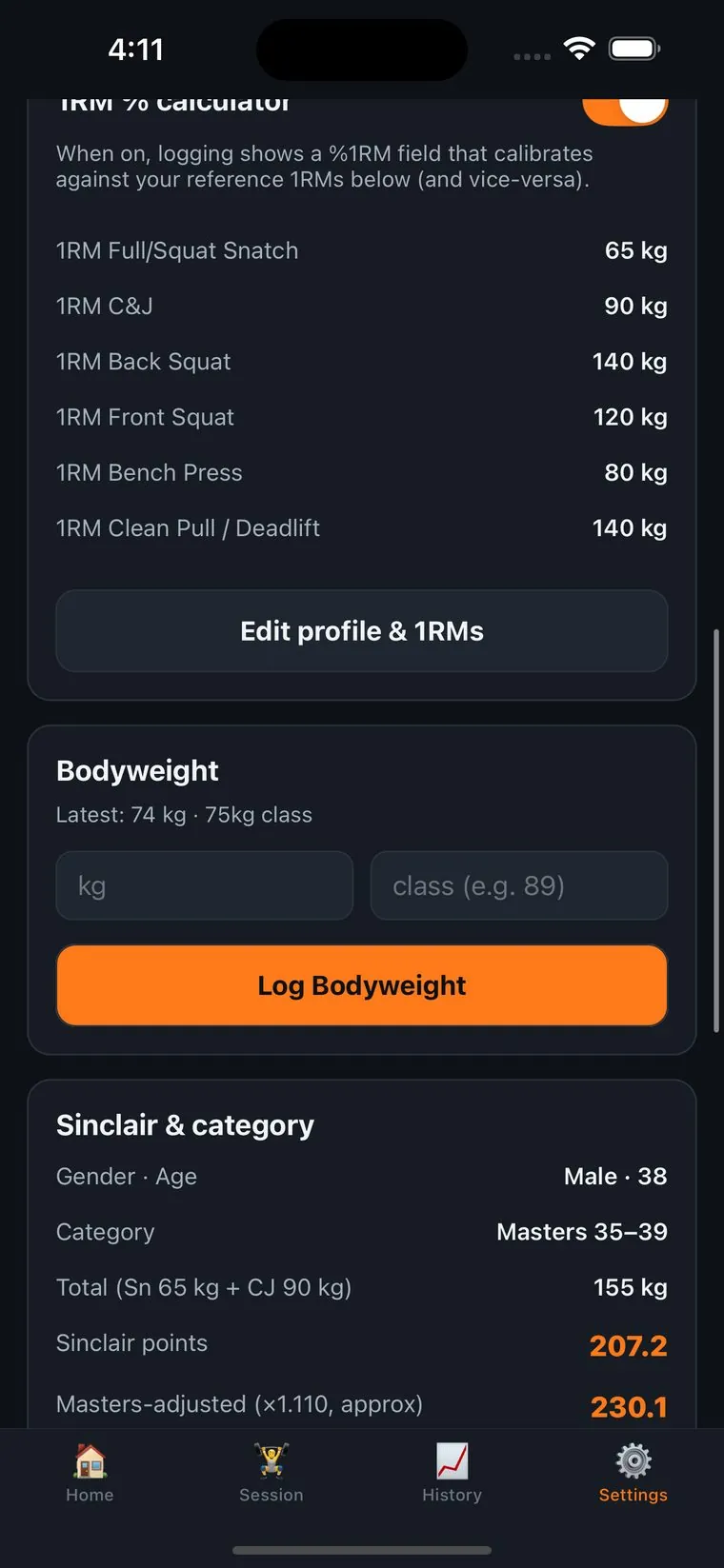
- Sinclair & Masters scoring, personal bests, and a weekly effort dashboard
- Meet countdown + training status (deload / shock / injured / technique)
- Offline-first — your data stays on your device, shared only with your coach
Support
Privacy Policy and Terms of Use (EULA) for The Weightlifters' Backroom.
Read the Privacy Policy & Terms →
Still need help? Email [email protected].
Get the app
The Weightlifters' Backroom is available on the App Store and Google Play.

App Information
- Version 2.3.6
- Platforms — iOS & Android
Support FAQs
How do I log a session?
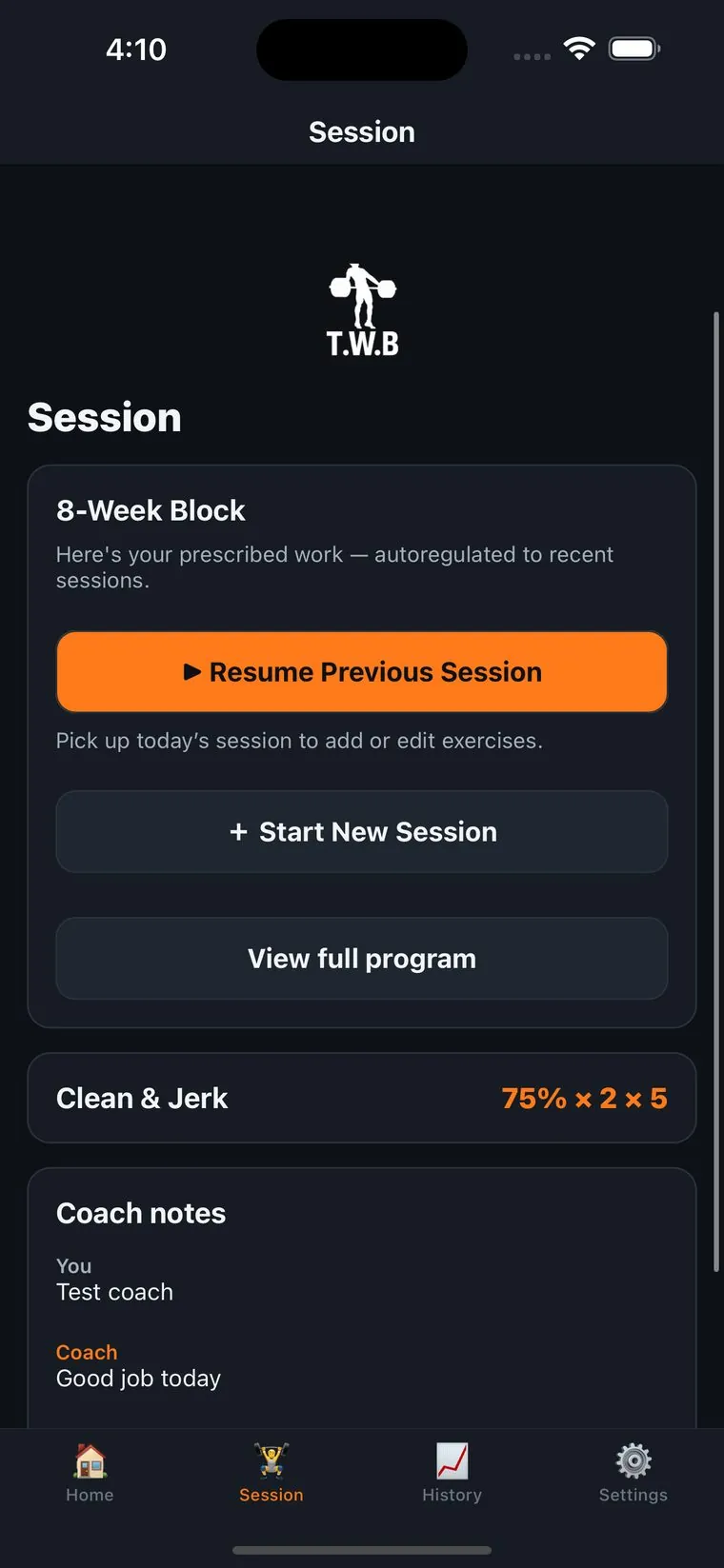
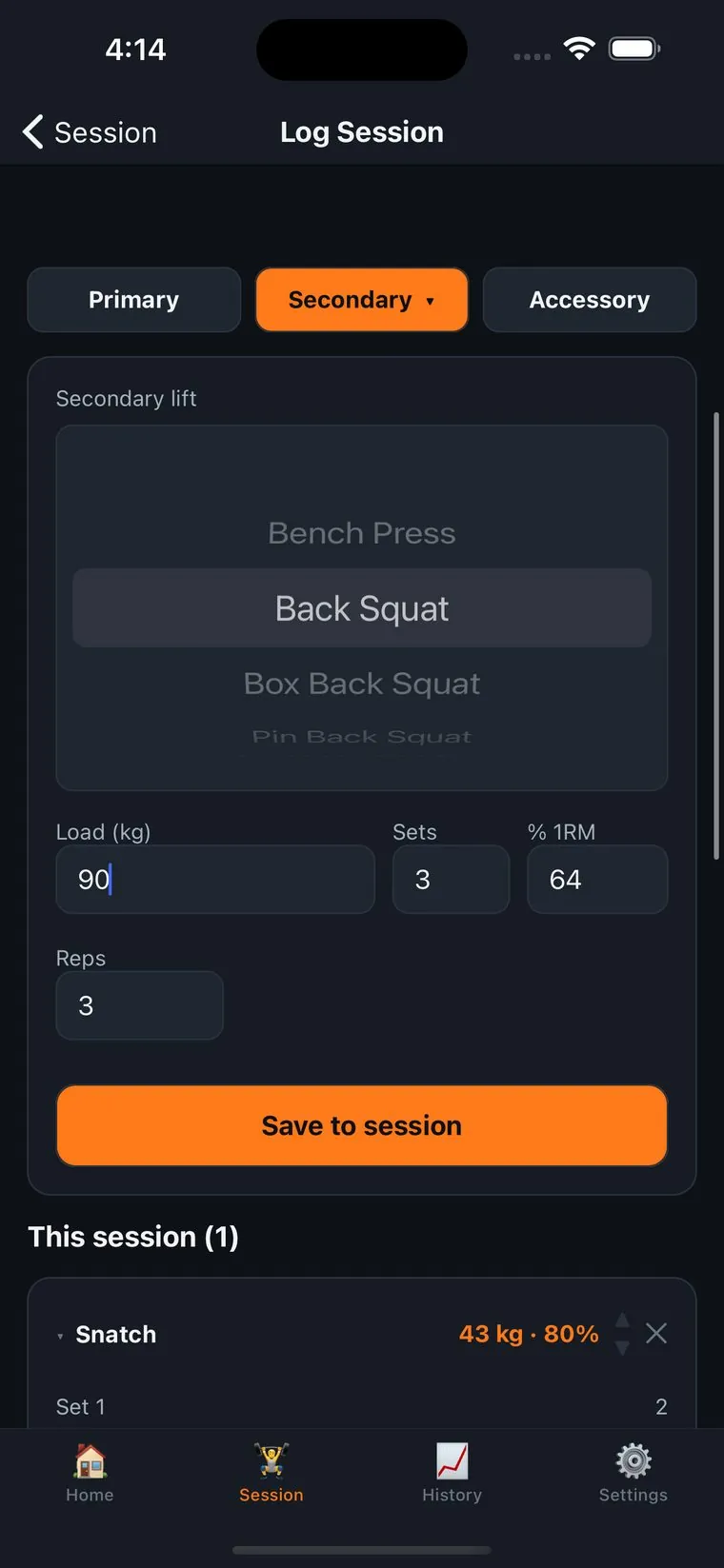
Open the Session tab and tap Start Session. Add your lifts — snatch and clean & jerk build as complexes (e.g. power snatch + squat snatch), and you mark each rep as a make or a miss as you go. Squats, pulls, and accessories log by load, reps, and sets.
How do programs work?
The app generates a periodized block from your 1RMs, days per week, and weeks to your meet — with automatic deloads and a peaking taper. Coaches can also hand-build a program lift by lift. Tap a program day to start logging it with the prescribed work pre-filled.
How do I link with my coach (or athlete)?
Coaches: open the Coach tab and tap "Generate invite code", then share it. Athletes: go to Settings → "Link a coach", paste the code, and agree to the sharing disclosure. One coach per athlete; you can unlink at any time.
What does my coach see?
While you're linked: your sessions (including reps, loads, and makes/misses), your stats and personal bests, your upcoming meet, your training status, and any notes you exchange. Your coach can assign you programs and — if you're mid-session — watch your training live. Unlinking stops all of this immediately.
What is the Sinclair score?
Sinclair lets lifters of different bodyweights compare total (snatch + clean & jerk). We use the IWF 2021–2024 coefficients, and show a Masters-adjusted figure if you're 35+.
Does my data leave my device?
Your training is stored on your device. When you sign in it also syncs to your account, and if you link a coach it's shared with them. If you never link a coach, nothing is shared. See our Privacy Policy for full detail.
How do I delete my account?
Settings → Danger zone → Delete Account. This permanently removes your account and all your cloud data (profile, stats, programs, sessions, notes, links) and erases your on-device training. It cannot be undone.
Do I need internet?
No for your own logging — it works offline. Coaching features (linking, program sync, live view, notes) need a connection.
What do subscriptions cost, and who pays?
The app is free to download. Coaches subscribe to a plan priced by roster size (the number of athlete "seats"); solo, self-coaching users subscribe after a free introductory period. Athletes are free — if you're linked to a subscribed coach, you're never charged. The exact price, period, and any free-trial terms are shown on the purchase screen before you buy.
How do I manage, cancel, or restore my subscription?
Subscriptions are billed by the App Store or Google Play and renew automatically. Manage or cancel any time in your store account — iPhone: Settings → your name → Subscriptions; Android: Play Store → Subscriptions. Cancelling stops future renewals; your current period runs to its end. Switched devices or reinstalled? Tap Restore Purchases on the subscription screen. Refunds are handled by Apple or Google under their policies.
Still need help?
Email us at [email protected] and we'll get back to you.